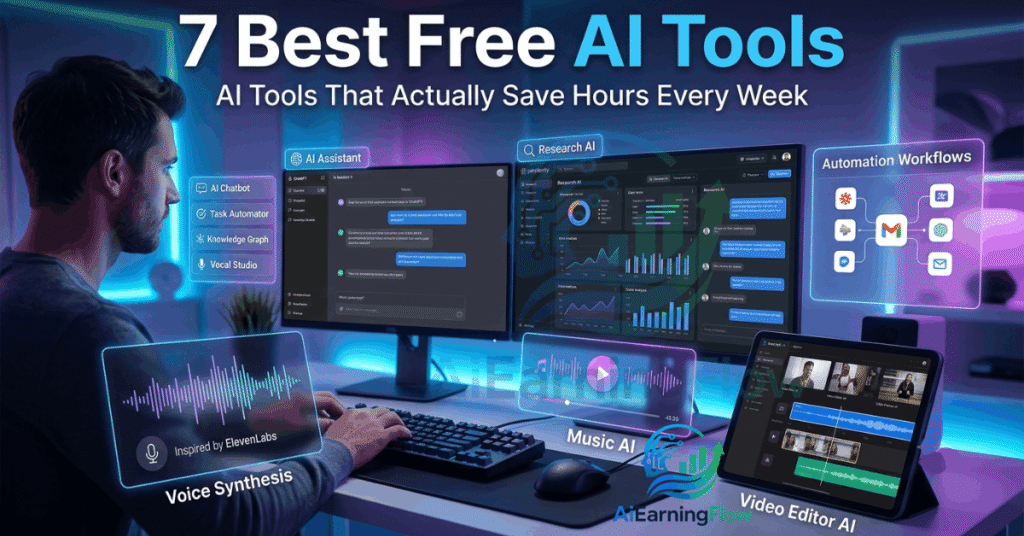
7 Best AI Tools: AI tools are everywhere right now. Every week there a new app claiming it’ll “change your life” or “replace your jobs.”Most of them are either overhyped,too complicated,or honestly not useful in day to day work.
But after spending last few months testing different AI tools for content creation,Productivity, Research,and automation, I found handful that genuinely made my work easier.
These are not random tools i saw in ads.I actually used them in real workflows, writing articles, editing videos, answering emails, researching topics,& automating repetitive task that normally waste hours.
The best part? Every tool on this list has free version or free trial,so you can test them without spending money upfront.
Here are seven AI tools that stood out the most.
1. Zapier – The Best AI Tool for Automating Repetitive Work
Zapier
If you do same digital task over,& over again, Zapier can probably automate it.
I’ll give you real example.
I manage multiple forms,Emails,and spreadsheets for different project. Before using Zapier, I used to manually:
- Check form submission
- Copy responses into Google Sheets
- Send confirmation emails
- Notify team members in Slack
It was boring work that ate up time every single day.
With Zapier, i connected everything together once,and now it runs automatically in background.
One workflow i tested:
- Someone fills out Google Form
- Zapier detects response
- It adds the data into a spreadsheet
- Sends automated personalized email
- Posts a notification in Slack
No manual work required.
The setup looks intimidating at first,but its surprisingly beginner friendly once u understand the logic:
Trigger → Action → Result
What I liked most:
- Works with thousands of apps
- Saves huge amounts of time
- Great for small businesses,and creators
- No coding needed
What beginners usually do wrong:
- Trying to automate everything immediately
- Creating overly complicated workflow
- Forgetting to test triggers properly
Start with one small automation first.That’s easiest way to understand how powerful it is.
2. Google AI Studio – Surprisingly Good for Real Time Help
This one genuinely impressed me.
Google AI Studio can analyze your screen in real time while you ask question through voice or text.I tested it while working inside Microsoft Excel,and it felt like having live assistant watching my screen.
I intentionally open spreadsheet,and asked how to create a pivot table because i wanted to see whether the AI could actually guide me properly.
It walked through the process step by step:
- Select the data
- Open Insert tab
- Click Pivot Table
- Drag fields into rows and values
The crazy part is how natural the interaction feels. You can stop midway, ask follow-up questions, and it adjusts instantly.
This feels especially useful for:
- Students
- Office workers
- Beginners learning software
- People who hate watching long tutorials
Instead of searching YouTube for a 12-minute tutorial, you can just ask questions while doing the task.
A small limitation right now is that it guides you rather than directly controlling your screen. But honestly, even in its current form, it’s incredibly useful.
3. ChatGPT – Most Useful All Round AI Assistant
ChatGPT
Most people already know ChatGPT,but many users barely scratch surface of what it can actually do.
I originally used it only for writing help.Now i use it daily for:
- Research
- Brainstorming ideas
- Analyzing files
- Writing outlines
- Debugging code
- Summarizing documents
- Planning projects
One feature that changed how i work is Canvas workspace. Its basically editable working area where you can refine long form writing,or code without losing context.
I tested it while rewriting blog post draft. Instead of regenerating the whole article every time,I could highlight only one section and ask for improvements. That alone made editing much faster.
Another feature i found useful is reasoning mode for complex problems. I tested it using sales data analysis, and it handled multi-step thinking much better than standard prompting.
The image and file analysis tools are also practical. I uploaded screenshots, spreadsheets, and PDFs, and it extracted information surprisingly accurately.
And then there’s Sora for AI video generation, which still feels futuristic.
Where people struggle with ChatGPT:
- Writing vague prompts
- Expecting perfect answers instantly
- Blindly trusting outputs without verification
The better your instructions, the better your results.
4. Udio – AI Music Creation That’s Actually Fun
Udio
I expected Udio to be gimmicky.
Instead, I spent almost two hours playing with it the first time I tried it.
Udio lets you generate original songs using text prompts. You describe the mood, genre, instruments, or style, and it creates music from scratch.
I tested prompts like:
- “Lo-fi chill beat for studying”
- “Cinematic motivational soundtrack”
- “Indie pop song with emotional vocals”
Some outputs were average, but others sounded shockingly good.
The most impressive part is how customizable it is. You can:
- Write your own lyrics
- Structure verses and choruses
- Adjust creativity levels
- Extend tracks
- Remix outputs
This tool feels perfect for:
- YouTubers
- Indie creators
- Social media content
- Podcast intros
- Background music
One mistake people make is using very short prompts. Detailed prompts produce dramatically better music.
Instead of:
“Make a sad song”
Try:
“Slow emotional piano ballad with soft female vocals and cinematic atmosphere”
The difference is massive.
5. ElevenLabs – The Most Realistic AI Voices I’ve Heard
ElevenLabs
Out of all the AI voice tools I tested, ElevenLabs sounded the least robotic.
Some AI voice generators still have that weird artificial tone. ElevenLabs is much closer to natural human speech.
I tested it with:
- Narration scripts
- YouTube intros
- Educational content
- Different accents and voice styles
The realism is honestly impressive.
You paste text, choose a voice, adjust settings, and generate speech in seconds.
But the real power comes from its extra tools:
- Voice cloning
- Dubbing
- Translation
- AI sound effects
- Speech-to-speech conversion
I can easily see why so many creators use it now.
That said, there’s an ethical side here too. Voice cloning technology is powerful, so it should be used responsibly and with permission.
Best use cases:
- Video narration
- Audiobooks
- Podcast production
- Educational videos
- Accessibility content
6. Perplexity AI – Better Than Traditional Search for Research
Perplexity AI
Google search has become cluttered lately. Too many ads, SEO-heavy articles, and low-quality pages.
Perplexity feels cleaner and more focused.
What makes it different is that it answers questions directly while showing citations and sources alongside the response.
I tested it for research-heavy topics and fact-checking, especially when I needed academic sources.
You can choose where results come from:
- Web
- Academic papers
- Social discussions
- Specific source types
The academic mode is especially useful for students and researchers because it references published papers directly.
One thing I appreciated:
If a source looked weak or irrelevant, I could remove it and rerun the answer generation.
That level of transparency makes it more trustworthy than many AI search tools.
Where it shines:
- Research projects
- Fact-checking
- Comparing sources
- Learning new topics quickly
Still, I wouldn’t rely on any AI search engine blindly. Always verify important information independently.
7. Descript – The Easiest Video Editor I’ve Used
*Descript*
Descript completely changed how I edit videos.
Traditional video editing software can feel overwhelming if you’re not an editor. Timelines, cuts, transitions, layers — it’s a lot.
Descript simplifies everything by turning video editing into text editing.
When your video gets transcribed, you can literally delete words from the transcript to cut them from the video.
I tested this on a podcast recording full of pauses and filler words like:
“um”
“uh”
long silent gaps
Descript automatically detected them, and cleaning the recording took minutes instead of hours.
Features I found genuinely useful: 7 Best AI Tools
- Automatic captions
- AI voice overdub
- Background removal
- Studio Sound enhancement
- Multi-language subtitles
The Studio Sound feature especially surprised me. It noticeably improved audio quality from a basic microphone recording.
If you create content regularly, this tool can save an enormous amount of editing time.
Common Mistakes People Make With AI Tools – 7 Best AI Tools
After trying dozens of AI tools, I noticed the same mistakes over and over.
1 Expecting AI to Do Everything Perfectly
AI helps speed things up,but it still need human judgment.You should always review outputs before publishing,or sharing them.
2 Using Weak Prompts
Most bad AI results come from unclear instructions.
Detailed prompts almost always produce better outcomes.
3 Trying Too Many Tools at Once
People install ten AI apps,& end up overwhelmed.
Pick one tool,Learn it properly,then expand gradually.
4 Ignoring Privacy & Data Concerns
Be careful about uploading sensitive files,or confidential information into AI platforms.
Always read privacy policies,Especially for business use.
Final Thoughts – 7 Best AI Tools
After spend real time with these tools,one thing became obvious:Best AI tools are ones that quietly remove friction from your works.
Not every AI app deserves the hype,but tools above genuinely helped me:
- Save time
- Reduce repetitive work
- Create content faster
- Research more effectively
- Learn software quicker
If I had to recommend just one starting point, I’d probably say:
- Zapier for automation
- ChatGPT for general productivity
- Descript for creators
- Perplexity for research
The good news is you don’t need expensive software or technical skills anymore to get real value from AI.
Most of these tools can start improving your workflow within the first hour of using them.
7 Best AI Tools